はじめに
VirtualBoxのネットワークアダプタについてまとめてみた。
まとめ
| Mode | VM<->VM | VM->Host | Host->VM | VM ->物理LAN | 物理LAN ->VM |
| NAT | ❌ | ✅ | Port Forward | ✅ | Port Forward |
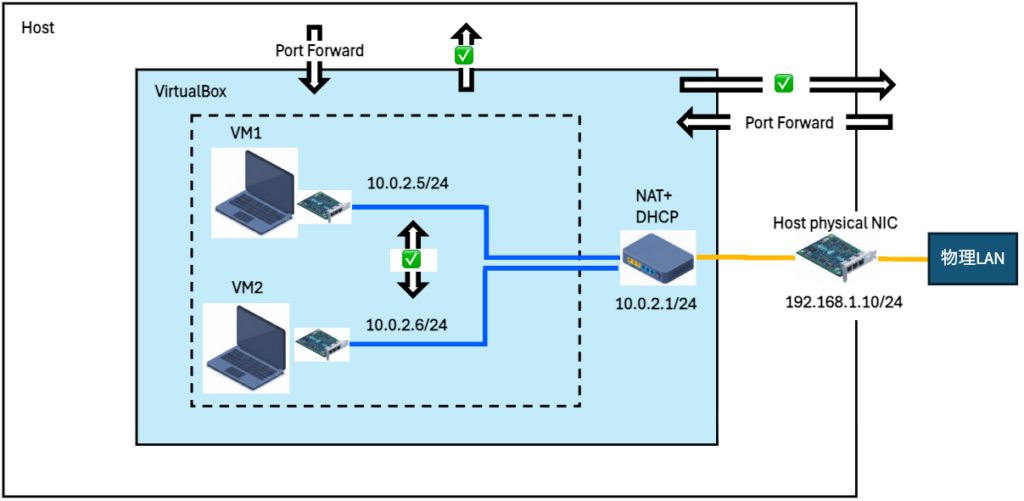
| NAT network | ✅ | ✅ | Port Forward | ✅ | Port Forward |
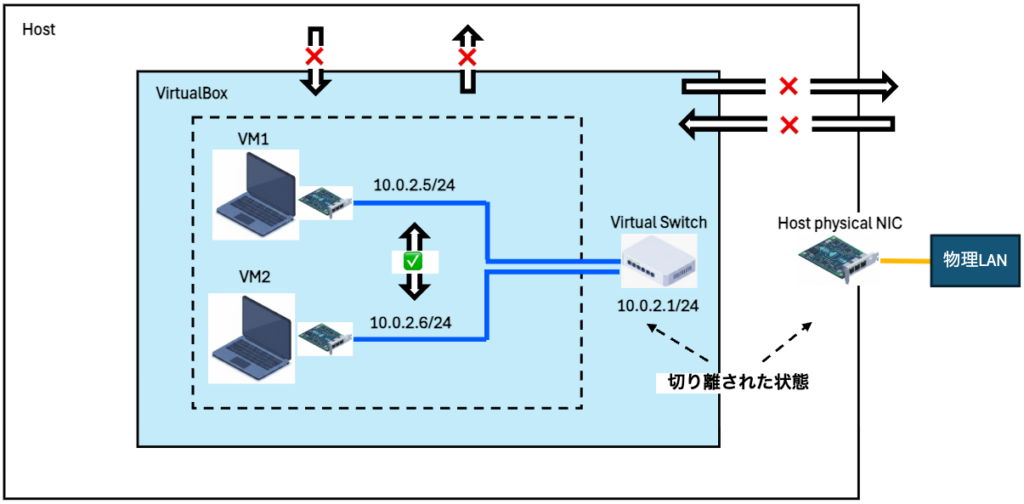
| Internal network | ✅ | ❌ | ❌ | ❌ | ❌ |
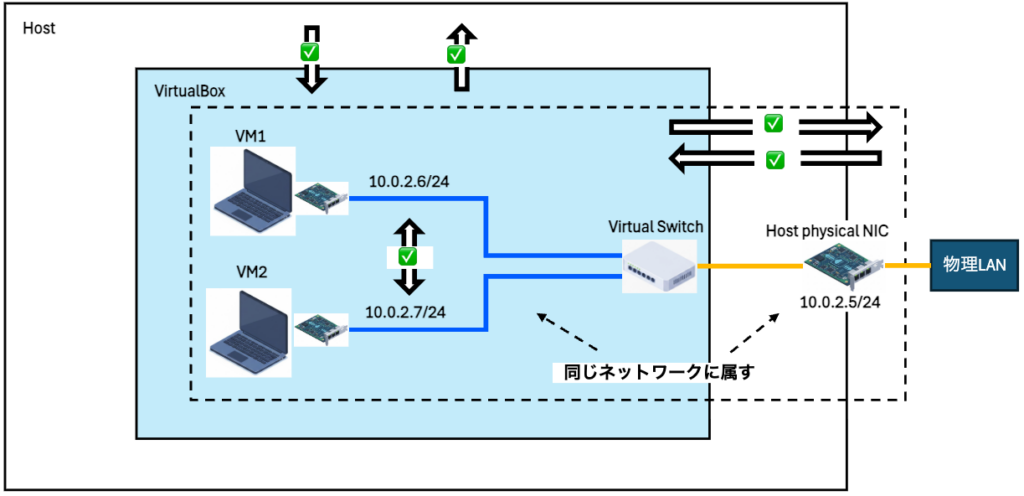
| Bridge adapter | ✅ | ✅ | ✅ | ✅ | ✅ |
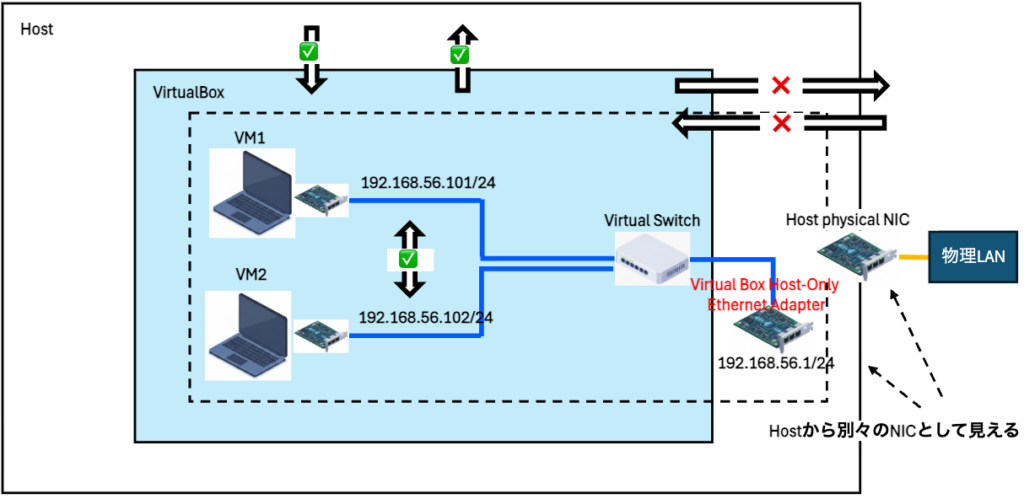
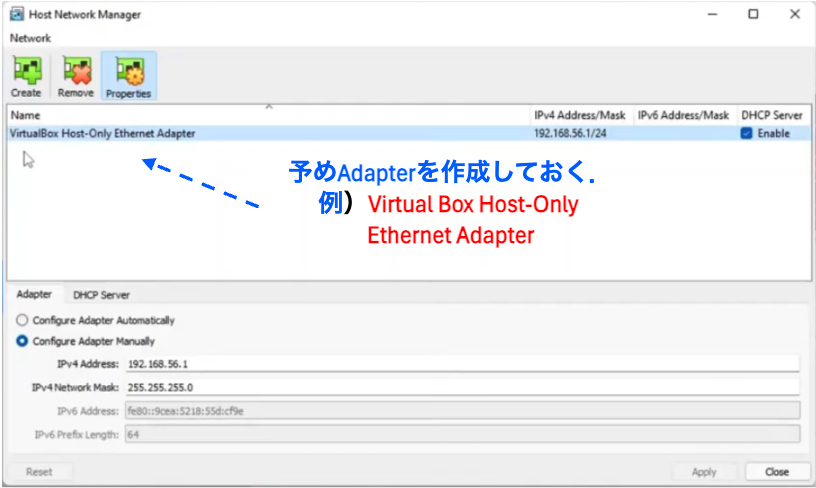
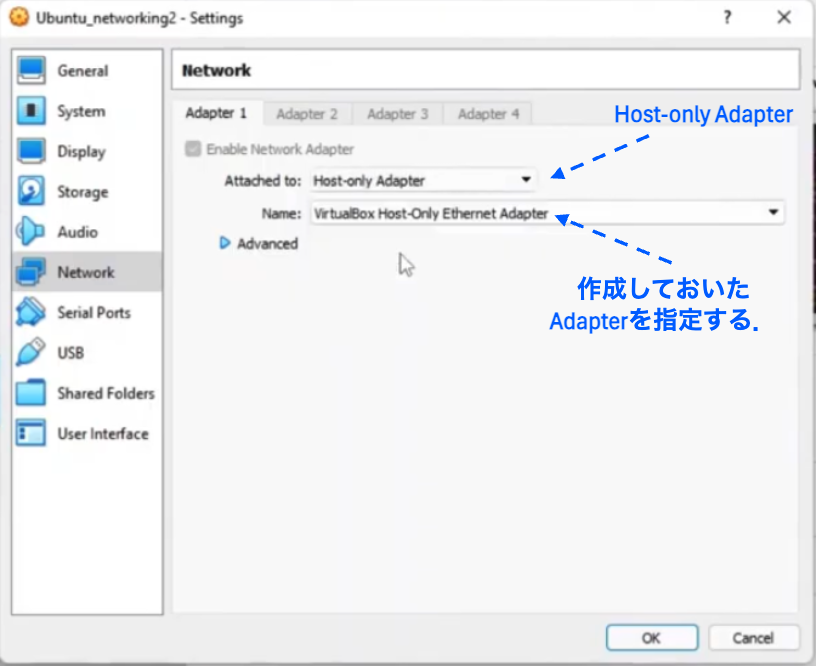
| Host-only adapter | ✅ | ✅ | ✅ | ❌ | ❌ |
| 組合せ NAT+Host-only adapter | ✅ Host-only adapter経由 | ✅ Host-only adapter経由 | ✅ Host-only adapter経由 | ✅ NAT経由 | ? |
NAT
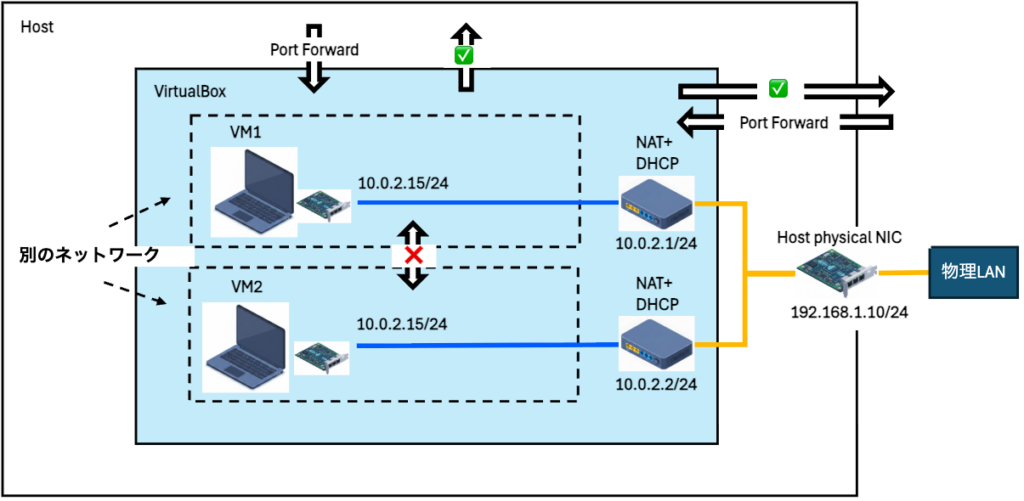
Host->VM Port Forward
- Port Forward設定 (VM1)
- VM1 > 設定 > ネットワーク > 「アダプターX」タブ
- 割り当て:NAT
- Advanced:
- PortForwarding:
- Name[SSH rule], Protocol[SSH], HostIP[ ], HostPort[2222], Guest IP[ ], GuestPort[22]
- PortForwarding:
- VM1 > 設定 > ネットワーク > 「アダプターX」タブ
- SSH 接続 (Host->VM1)
- ssh username@localhost -p 2222
NAT network
Internal network
Bridge adapter
- File > ツール > Network Manager
- 各タブの中身を「除去」して空にする。
- 「Host-only Networks」タブ
- 「NAT Networks」タブ
- 「Cloud Networks」タブ
- 各VM > 設定 > ネットワーク > 「アダプターX」タブ
- 割り当て:ブリッジアダプター
Host-only adapter


コメント